
Mullvad VPN
Mullvad VPN ABTools
4.1868.00 Reviews
- Version
- 2026.8
- Installs
- 5.00M
- Age Rating
- Everyone
Screenshots

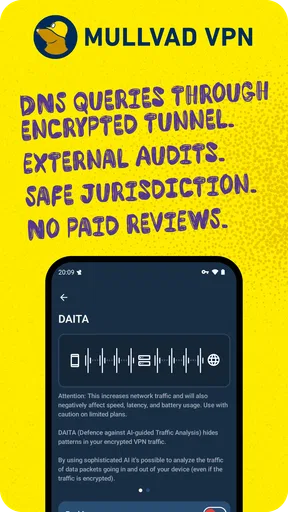
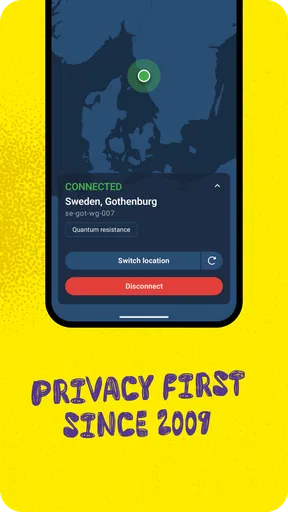
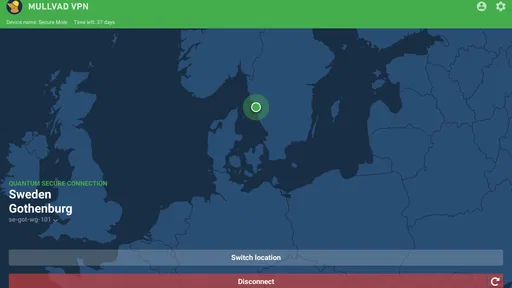
Our Review of Mullvad VPN
 Analysis by Appyee
When several people share a home Wi-Fi network, privacy choices can get tangled quickly. I find a VPN most useful when it has a clear purpose for each device rather than being treated as a magic shield for everyone. Mullvad VPN suits people who want a straightforward way to protect a phone’s connection, especially when they move between home, work, and public networks. Its privacy-first approach is appealing, but a household should agree on how and when it will be used instead of assuming one setup fits every person.
A shared device is not the same as a shared account
On a family tablet or a phone passed between relatives, a VPN can change the network route for whoever is using that device. That may be useful in a café or hotel, but it does not make separate browsing profiles or personal boundaries for each person. I would treat the app as a device-level tool: whoever can use that device may be affected by its connection state, so discuss the setup before turning it on for a shared device.
For a household where each person has a separate phone, it is easier to make individual choices. One person might want the VPN active whenever they use public Wi-Fi, while another may prefer to connect only for particular tasks. A VPN connection does not replace screen locks, separate device accounts, or good judgment about what information is shared. Those remain useful regardless of which network protection app is installed.
Decide the boundaries before connecting
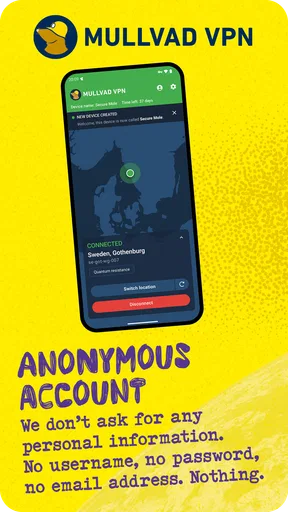
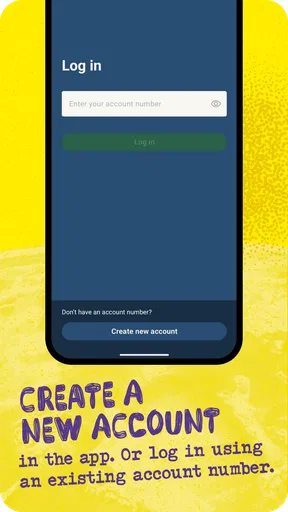
The anonymous account-number setup is a distinctive part of the experience: you do not have to begin by handing over an email address. That can feel reassuring if you want fewer personal details tied to a privacy tool. It also means that the account number itself deserves care. I would store it somewhere private and make sure the person responsible for the subscription knows how to retrieve it, rather than leaving it visible on a shared screen or in a household chat.
Before installing on a device used by more than one person, decide who will manage the app and who can change its settings. This is not a substitute for built-in family or parental controls, and I would not present it as one. Its job is to route a device’s connection through a VPN, not to decide what a child can access or to provide a separate online identity for each household member.
That distinction matters most when someone expects a VPN to solve a problem it was not designed to solve. It can add privacy to a network connection, but it cannot make a shared device private from other people who can unlock it, nor does it guarantee that every website or service will behave normally. For household coordination, I prefer a simple rule: use it for connection privacy, and handle accounts, device access, and age-appropriate browsing with separate tools and conversations.
Make coordination practical, not complicated
A realistic routine might be to connect before joining a public hotspot, then check the app’s status before opening work, banking, or personal accounts. If another household member borrows the phone, they should know whether the VPN is already connected and how to recognize that state. This small handoff avoids confusion when an app, website, or local service reacts differently to a VPN connection.
At home, there is less reason to treat every moment as an emergency. I would decide whether the added privacy is worth keeping the VPN on during ordinary browsing, then test essential services in the way the device is normally used. If a service has trouble, disconnecting briefly can help identify whether the VPN is involved. The useful habit is knowing how to check and change the connection, not blindly leaving settings that nobody understands.
Age, trust, and realistic expectations
The app is rated for Everyone, but that age label does not mean it supervises a young user’s online activity. A parent or guardian still needs to set device-level boundaries and talk about safe browsing. For an adult household member who understands what a VPN does, the app’s simple controls are easier to evaluate; for a child using a shared tablet, I would prioritize separate device access and age-appropriate safeguards first.
I also would not equate a VPN with complete anonymity. It can help protect the connection from some forms of local network exposure, but users still sign in to websites, share information, and make choices that identify them. Trust comes from understanding those limits and choosing a provider whose approach matches your needs, not from seeing a connection icon and assuming every risk has disappeared.
Who will appreciate this approach?
This is a good fit for someone who wants a focused privacy tool rather than a large bundle of unrelated features. The uncomplicated interface is especially helpful if you want to connect quickly without learning a crowded dashboard. It may also suit a privacy-minded household where each adult manages their own device and understands that the VPN protects a connection rather than controlling the person using it.
I would look elsewhere if your main goal is parental monitoring, household-wide content filtering, or a single control panel for managing several people. Those are different needs, and a VPN alone is not a replacement for tools built around them. Likewise, if you rely on a particular location-sensitive service that blocks VPN traffic, be prepared to switch the connection off for that task. Convenience sometimes matters more than keeping the tunnel active every minute.
How it fits among other VPN choices
Many mainstream VPN apps compete on bundles, promotional plans, or extras beyond the connection itself. Mullvad’s appeal is more restrained: it emphasizes a privacy-oriented account setup and a simple connection experience. That makes it easier to understand what you are choosing, but it may feel less attractive to someone who wants a broad suite of add-ons or a family management dashboard.
Compared with using no VPN, it adds a layer between the device and the local network, which is particularly relevant on public Wi-Fi. Compared with a browser’s private mode, it applies at the connection level rather than merely changing what the browser saves locally. Neither comparison means a VPN makes a user invisible: websites can still identify logged-in accounts, and private browsing does not provide the same network routing. The right choice depends on whether the concern is local network privacy, browser history on the device, or account-level tracking.
It is also worth remembering that a VPN can affect how a service sees your location and connection. If a banking app, streaming service, or workplace system raises a check, first consider whether the VPN is the reason before changing account settings. I find it useful to keep the app easy to reach so I can test a connection issue without turning a small inconvenience into a long troubleshooting session.
For an everyday example, imagine taking a phone from home to a library and then to a café. I would connect before using the café’s Wi-Fi, confirm the status in the app, and do sensitive tasks only after checking that the connection is behaving as expected. If a local service does not work, I would temporarily disconnect, complete that task, then reconnect when appropriate. That practical rhythm is more useful than expecting any VPN to remove the need for judgment.
There is a small learning curve in that routine: users need to recognize when the VPN is on and remember that some sites may respond differently. The app’s simple layout helps, but a shared household still benefits from agreeing on the basics. If one person changes settings without telling anyone, another may mistake a VPN-related issue for a broken app or unreliable Wi-Fi.
On the Android store, it appears in the tools category and is made by Mullvad VPN AB. It has a 4.3 average from around 7.3 thousand ratings, with more than a million installs. Those figures suggest that it is an established option, though popularity alone would not decide whether it fits my household. I would weigh the privacy-first setup and direct controls against the need for any family-specific management features.
The app is free to install, is rated for Everyone, and its current version is 2026.2, with Android 8.0 as the minimum operating system. In-app purchases range from $5.99 to $17.97 per item. I would check the purchase details on the device before committing, then consider whether the service’s approach and everyday behavior suit the people who will use it. Its release date was May 4, 2021, and its developer is Mullvad VPN AB.
Those practical details matter in a shared home because compatibility and payment decisions can affect more than one person. Before installing it on an older phone, check that the device meets the minimum Android requirement. If different people will use separate devices, make sure each understands which account and connection they are using rather than assuming that one person’s setup automatically covers everyone else.
One useful tip is to test the VPN with the services you actually depend on before making it part of a household routine. Try ordinary browsing, a work login, and any location-sensitive app you use often. That reveals friction early, when it is easy to decide whether to keep the VPN on routinely or reserve it for less trusted networks. It is a more meaningful test than relying on a speed impression from a single session.
Another trade-off is that the simplest setup can also leave fewer guardrails for people who expect extensive household administration. A clean connection screen is pleasant, but it does not answer who in the home should use the service, how shared devices are handled, or what to do when an app refuses a VPN connection. Those decisions belong to the household. I see this as a strength for independent users and a limitation for families looking for centralized oversight.
Privacy-conscious users may also appreciate that the account setup does not begin with an email address, but a low-friction sign-up does not remove the need to protect account access. Keep the account number somewhere secure and accessible to the person who manages the service. If a device is shared, avoid saving private account details where another user can casually find them. Good account boundaries make the app’s privacy-minded design more useful in practice.
First Impressions and Setup
Let's kick things off with the setup process. I downloaded the app on my Android device, and the installation was as smooth as butter. No lengthy forms or unnecessary questions—you don't even need an email address. You just get a unique account number, and boom, you're in! I really appreciate this no-nonsense approach because it aligns perfectly with their commitment to privacy.
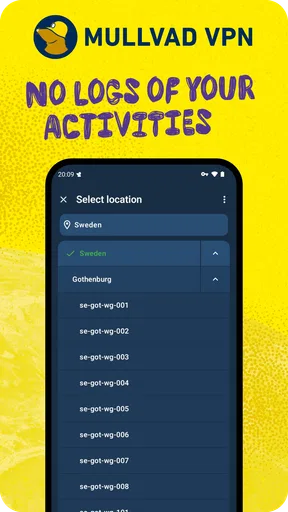
Once you're in, the interface is clean and straightforward. No flashy graphics or confusing menus. Just a simple on/off button to connect and a list of servers to choose from. It’s refreshing to see an app that sticks to the essentials without overcomplicating things.
Performance and Speed
Now, onto the good stuff—how does it perform? I tested multiple servers, from Europe to the U.S., and the connection was consistently reliable. Sure, there might be a slight drop in speed depending on your location, but it's nothing out of the ordinary for a VPN. Streaming HD content was a breeze, and I didn’t experience any buffering issues, even with my coffee shop Wi-Fi.
Whether you're torrenting or just browsing, Mullvad handles it with ease. I did a little digging and found out they use the WireGuard protocol, which is known for being fast and secure. So, if speed is a top priority for you, this might just be your new best friend.
Privacy Features
Alright, let’s talk privacy—the reason most of us are here. Mullvad takes this seriously. They don’t keep logs, which means they have no record of your online activities. Plus, their payment options are as privacy-conscious as their setup. You can pay with cash, Bitcoin, or even use Swish in certain regions. It’s all about giving you control over how you manage your privacy.
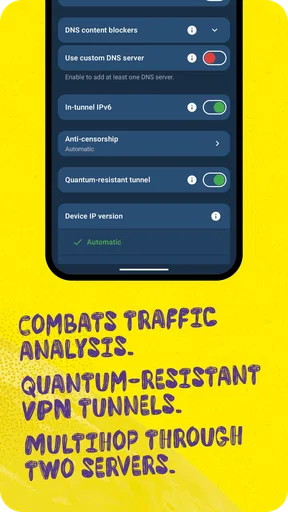
One feature I found particularly cool is their kill switch. If your connection drops unexpectedly, the kill switch ensures that your data isn't accidentally exposed by cutting off internet access until you're securely reconnected. It's little things like this that make a big difference.
User Experience and Support
Using it feels like having a protective shield around your online activities. It's not just about hiding your IP; it's about peace of mind. The app runs quietly in the background without any annoying pop-ups or ads. It's designed to be intuitive, so you won't find yourself digging through forums trying to figure out how to get things working.
As for support, they offer a detailed FAQ on their website, and if you need more help, their customer service team is responsive. I fired off a couple of questions, and they got back to me in no time with clear and helpful answers.
Pricing and Value
Mullvad offers a flat rate of €5 per month. No tiers, no long-term contracts, just straightforward pricing. While some might find this a bit steep compared to other services that offer discounts for annual plans, I think the transparency and commitment to privacy are worth it. Plus, you can try it out for free for three hours to see if it’s a good fit before committing.
So, if you’re looking for a VPN that delivers on its promises of privacy and performance without the frills, Mullvad VPN is definitely worth checking out. Its commitment to user anonymity and straightforward approach make it stand out in a crowded market.
In conclusion, Mullvad VPN is a solid choice for anyone serious about their online privacy. It’s easy to use, reliable, and backed by a strong privacy policy. Whether you’re a casual browser or a privacy enthusiast, this app has something to offer. Give it a shot, and you might just find your new go-to VPN!
Verdict
Strengths of Mullvad VPN
- Strong privacy policies with no logs
- Easy-to-use interface for beginners
- No account needed for anonymity
- Fast connection speeds globally
- Supports a wide range of devices
Limitations of Mullvad VPN
- Limited server locations compared to others
- No dedicated IP address options
- Higher cost than some competitors
- Lacks advanced features for experts
- No free trial available
Similar Picks in This Category
View All
Google LLC4.0

Gboard - the Google Keyboard
Google LLC4.5

Google Play services
Google LLC4.3

Google Play Store
Google LLC4.9

Files by Google
Google LLC4.5

SHAREit: Transfer, Share Files
Smart Media4U Technology Pte.Ltd.4.3
Frequently Asked Questions
What platforms does Mullvad VPN support?
Mullvad VPN is available on a wide range of platforms, including Windows, macOS, Linux, iOS, and Android. It also offers manual configuration guides for routers, allowing users to protect all devices connected to their network. This cross-platform support ensures that users can maintain privacy across all their devices.
How does Mullvad VPN ensure user privacy?
Mullvad VPN is committed to user privacy and does not require any personal information for account creation. Users are given an anonymous account number, and the service maintains a strict no-logs policy, meaning it does not track or store any user activity or connection logs, ensuring complete anonymity.
What are the payment options available for Mullvad VPN?
Mullvad VPN offers a variety of payment options to cater to different user preferences. Users can pay via credit card, PayPal, bank wire, or even use cryptocurrencies like Bitcoin and Bitcoin Cash for enhanced anonymity. Additionally, Mullvad accepts cash payments sent via mail, providing a truly anonymous payment method.
Can Mullvad VPN unblock streaming services?
While Mullvad VPN is primarily focused on privacy, it does have servers that can unblock some streaming services. However, it may not consistently bypass all regional restrictions on popular platforms like Netflix or Hulu. Users interested in streaming should test specific servers to find ones that work with their desired service.
What is the customer support like for Mullvad VPN?
Mullvad VPN provides customer support primarily through email, and they aim to respond to inquiries promptly. While they do not offer live chat or phone support, the comprehensive help section on their website addresses many common issues and provides detailed guides and troubleshooting tips for users.
